Moment
This page is a short guide to the app. There's no login, no subscription, and no account. Photos stay on the device.
1. What is Moment?
Moment is a film scanner app for your phone. It turns developed negatives into regular photos, so you don't need a dedicated scanner. Photograph the film or import a scan, restore the colors, and save the result.
2. How to use
- Open the app. You don't need an account.
- Tap Choose from gallery and pick the sample below,
or tap Take a photo and shoot film in front of a bright LED. - Run the conversion. The negative should look like a normal photo.
- If you want, open color adjustments and try the sliders (gamma, contrast, saturation, temperature).
- Save as JPEG or PNG to your gallery.
3. Sample negative
Save this image to your phone, then open it in Moment.
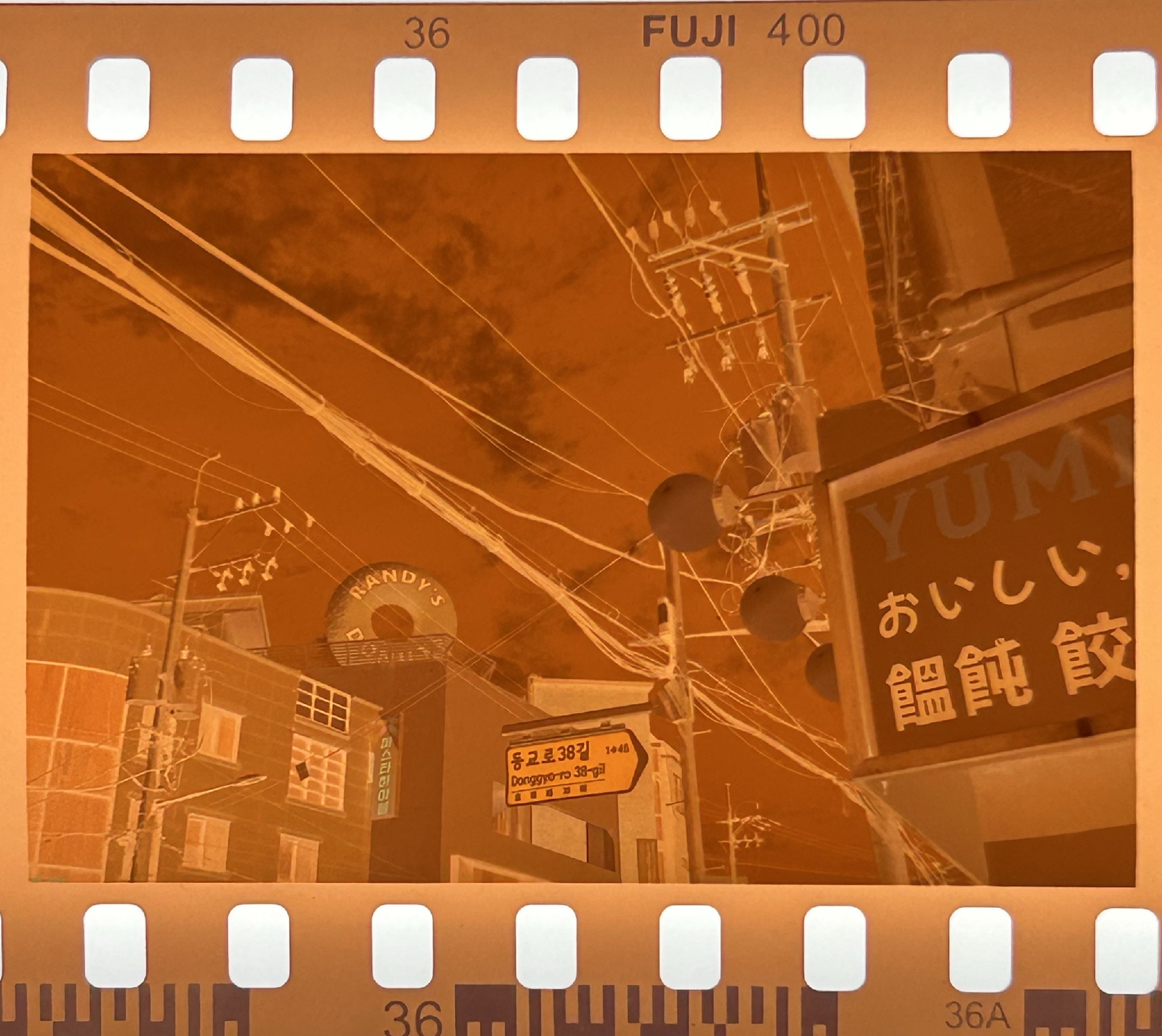
Download: sample-negative.jpg
4. Permissions
- Camera — to photograph developed film
- Photo Library — to pick images and save results
We don't show a separate tracking prompt. Ads follow the ad SDK's default setup.
5. External services
- Google AdMob — banner ads only
- There's no photo server. Images never leave the device.
- No sign-in, payments, or cloud AI
6. Regional differences
The app works the same everywhere. Ads may look different depending on the region.
7. Demo
A short walkthrough of the app:
8. Contact
Developer: Yongmin Ahn
Email: ahnimmanuel@gmail.com
Privacy: https://ahn-yongmin.github.io/moment_web/
앱 설명 페이지입니다. 로그인, 구독, 계정은 없고 사진은 폰 안에서만 처리됩니다.
1. 어떤 앱인가요?
현상된 네거티브 필름을 스마트폰에서 일반 사진으로 바꿔 주는 앱입니다. 스캐너가 없어도 됩니다. 필름을 찍거나 갤러리에서 가져온 뒤, 색을 되돌리고 저장하면 됩니다.
2. 사용 방법
- 앱을 엽니다. 계정은 필요 없습니다.
- 갤러리에서 선택으로 아래 샘플을 가져오거나,
촬영으로 밝은 LED 앞에 둔 필름을 찍습니다. - 변환을 실행하면 네거티브가 일반 사진처럼 바뀝니다.
- 원하면 색감 조정에서 감마, 대비, 채도 같은 슬라이더를 움직여 볼 수 있습니다.
- JPEG 또는 PNG로 앨범에 저장합니다.
3. 샘플 이미지
아래 이미지를 앨범에 저장한 다음, Moment에서 열어 주세요.
다운로드: sample-negative.jpg
4. 권한
- 카메라 — 현상된 필름을 찍을 때
- 사진 — 이미지를 가져오고 결과를 저장할 때
5. 외부 서비스
- Google AdMob — 배너 광고만 씁니다
- 사진을 올리는 서버는 없습니다. 이미지는 밖으로 나가지 않습니다.
- 로그인, 결제, 클라우드 AI는 쓰지 않습니다
6. 지역별 차이
앱 기능은 어디서나 같습니다. 광고만 지역에 따라 달라질 수 있습니다.
7. 데모
사용 흐름은 아래 영상에서 볼 수 있습니다.
8. 문의
개발자: Yongmin Ahn
이메일: ahnimmanuel@gmail.com
개인정보처리방침: https://ahn-yongmin.github.io/moment_web/